Everyone knows there are three words that any lovestruck individual loves to hear on Valentine’s Day. Well, we’ve got three words of our own that your PC will love to hear today. Repeat them often and you will love your computer again … and your computer just might love you back! Love your computer again. REPAIR Dazzle your PC with this easy step for repairing it. If Windows isn’t working correctly, your PC might have a virus, or it might be bogged down by malware. You’re going to need to […]

Three Simple Words from ReviverSoft on Valentine’s Day
| By Steve Horton |
|
|

Remove Programs that Refuse to Uninstall Correctly
| By Steve Horton |
|
|
Sometimes uninstalling an application isn’t enough. Here are some ways to completely remove all traces of an application from your PC.

Fix Adobe Flash Problems in Windows 8
| By Steve Horton |
|
|
Adobe Flash Player doesn’t work the greatest in many Windows 8 web browsers. Here’s how to fix these issues, so you have a smooth Flash experience in Win 8.

Resolving Hard Drive Problems in Windows
| By Steve Horton |
|
|
Sometimes your hard drive goes bad. Here are some ways to track down the problem and fix it, without having to buy a new one.

Installing a New Copy of Windows on a Hard Drive
| By Steve Horton |
|
|
Installing a new copy of Windows on a new drive can be a complicated process. Here are the step-by-step directions.
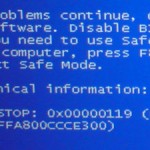
A Guide to the “Video Scheduler Internal Error” Blue Screen of Death Error
| By Steve Horton |
|
|
The VIDEO_SCHEDULER_INTERNAL_ERROR Blue Screen of Death error has to do with your graphics drivers. Here’s how to fix this problem.
Navigating the Task Manager: Applications, Processes and Services
| By Steve Horton |
|
|
The Windows Task Manager is divided into applications, processes and services. Learn more about the Task Manager here.

Fixing Random PC Shutdown or Restart Errors
| By Steve Horton |
|
|
Sometimes your PC will experience random shutdowns and restarts. Here are several causes and solutions for this problem.
A Guide to the “Worker Invalid” Blue Screen of Death Error
| By Steve Horton |
|
|
WORKER_INVALID has to do with an antivirus application, such as AVG, that isn’t fully compatible with Windows 8. It can also be a driver issue. Learn more.

Fixing Printers that Don’t Work with Windows 8
| By Steve Horton |
|
|
Many older printers stubbornly refuse to work out of the box in Windows 8. Here are some workarounds and solutions to get your printer running.
Use Compatibility Mode to Fix App Problems
| By Steve Horton |
|
|
Running a Windows app in compatibility mode can fix many crashes, glitches and other issues when running that app. Here’s how compatibility mode works.

A Guide to the CLOCK_WATCHDOG_TIMEOUT Blue Screen of Death Error
| By Steve Horton |
|
|
The CLOCK_WATCHDOG_TIMEOUT Blue Screen of Death error can be pinpointed to your central processing unit, or CPU. Here are some steps you can take.

Migrate Data Out of Cloud Services
| By Steve Horton |
|
|
Everyone stores their documents, media and photos in the cloud. This can carry some security risks. Learn how to get your stuff off the cloud.

Speed Up Your Network Using TCP Optimizer
| By Steve Horton |
|
|
TCP Optimizer is a great free app that streamlines your wired or wireless Internet connection so that it’s faster and more reliable. Learn about it here.
A Guide to the “Cache Manager” Blue Screen of Death Error
| By Steve Horton |
|
|
The CACHE_MANAGER Blue Screen of Death error is usually caused by faulty drivers or memory. Here’s how to fix the problem with either approach.
More blog posts:
browse by category
General
General informational posts
Infographics
Large, detailed graphical presentations
Information
Computer opinions, commentary and news
Maintenance
Keep your computer without upgrading
News
About ReviverSoft and our products
Novice
For beginning computer users
Optimizations
Make your computer work with fewer errors
PC Bottlenecks
Computer elements that slow it down
Registry Insights
How the Windows Registry works
Windows 10
Are you using Windows 10? View tips and tricks specifically for you.